A proposed clause is useful only when a reviewer can tell which agreement it changes, what the edit is meant to do, and whether that edit appears in the saved document. Gotham supports document review and drafting in a version-aware workspace: proposed tracked edits can be reviewed in a new document version while the source remains available for comparison. The tool can prepare a change; it cannot decide whether the wording is acceptable for the transaction or approve it for signature.
This distinction matters because “change the renewal term” is not just a text-generation request. The reviewer needs the right source, a clear scope, visible changes, and a saved result that can be inspected. This article follows a fictional vendor agreement to show what those controls mean in practice. For the broader negotiation process, see the contract redlining workflow guide. This article focuses on the document edit and its verification.
The document problem behind a simple redline request
Imagine a procurement lawyer asks: “Please shorten the auto-renewal period in the vendor agreement and make the notice window consistent.” That sounds specific. It may still leave important questions unanswered. Which draft is current? Does “shorten” mean six months, thirty days, or something else? Which clause sets the notice window? Does another provision use the same term? Is the requested change a business instruction that has already been approved, or a proposal for counsel to evaluate?
If an editing system receives the wrong version, even a well-written clause can be wrong for the current negotiation. If the request is vague, an edit can quietly turn an open question into an unapproved position. If changes are hard to see, reviewers have to reconstruct them manually. If the output did not save where expected, the team may circulate a draft that does not contain the edit at all.
The practical goal is therefore not merely to produce different words. It is to produce a reviewable document that makes the relationship between request, source, proposal, and saved result clear. A good working path keeps those elements distinct so a human can make the decision.
Start from the exact source version
Before judging an edit, confirm the document it applies to. In a live negotiation there may be a file called Vendor Agreement - final.docx, another called Vendor Agreement - final v2.docx, and an email attachment with a similar name. The word “final” is not a reliable version identifier.
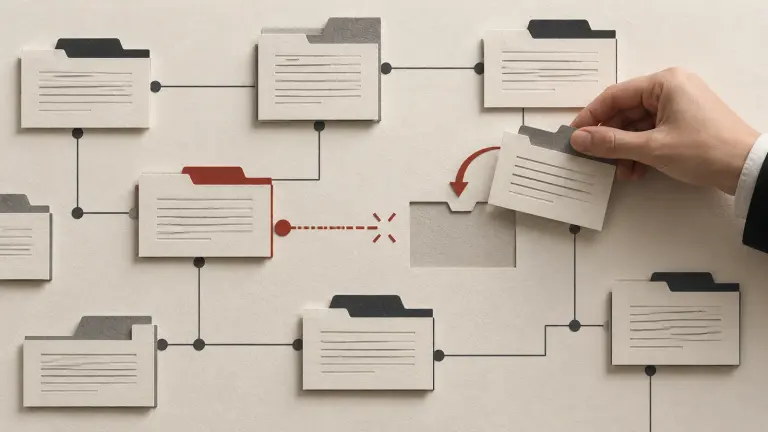
Use the specific document loaded for the task. Check its party names, date, document type, and recent negotiation state. If the workspace has version labels or a comparison view, use them to distinguish the source from earlier or later drafts. Preserve the received or approved source so you can return to it. Gotham presents document versions and supports comparison between snapshots; this helps reviewers orient themselves before they assess a proposed change.
The exact source matters even when the requested edit looks local. One draft may define “Renewal Term” differently from another. A later draft may already contain a counterparty change to the notice mechanics. Editing an earlier copy can create a polished document that no longer reflects the negotiation.
| Source check | Why it matters | What the reviewer can record |
|---|---|---|
| Correct agreement and parties | Similar files may relate to different deals or entities | Agreement name and party names |
| Intended version | A prior draft may omit the latest negotiated text | Version label, date, or workspace context |
| Existing markup | Pending changes may alter the apparent clause | Whether changes remain unresolved |
| Related materials | Schedules or amendments may change the commercial setting | Relevant document names and known dependencies |
If the source cannot be identified confidently, pause and ask for the intended document. A system should not hide uncertainty behind a plausible edit.
Turn the request into a bounded change
A reviewer or requester should express the desired result in terms that can be checked. “Shorten the auto-renewal period” describes a direction, not a final position. “Change the renewal period from twelve months to six months, subject to counsel confirming the notice mechanics” is more testable. It identifies a target and preserves a legal review question.
The amount of context needed depends on the clause. For a simple date or defined value, a narrow instruction may be enough. For an indemnity, liability cap, data-use permission, termination right, or renewal mechanism, the business meaning may depend on surrounding provisions. The person requesting the edit should state what must change, what must remain unchanged, and which open questions require escalation.
Gotham can work with a document and user instructions to prepare a proposed edit. The user remains responsible for ensuring the instruction expresses the intended business position. A generated sentence should not be treated as an approved fallback merely because it is clear or resembles language used elsewhere.
An edit request is easier to review when it includes:
- the document and clause to change;
- the current wording or value, if known;
- the desired result or approved alternative;
- any defined terms or related provisions to preserve or check;
- matters that remain open for legal or business judgment; and
- the person who can approve the final position.
The contract review playbook guide explains how teams can define preferred positions and escalation rules. Those playbooks supply business and legal context; a document-editing workflow should not invent them.
Keep the proposal visible and separate from approval
Tracked changes are useful because a reviewer can see additions and deletions in context. Microsoft’s Track Changes guide describes how Word displays edits and markup. That display helps expose what changed. It does not validate whether the change is correct, complete, or authorised.
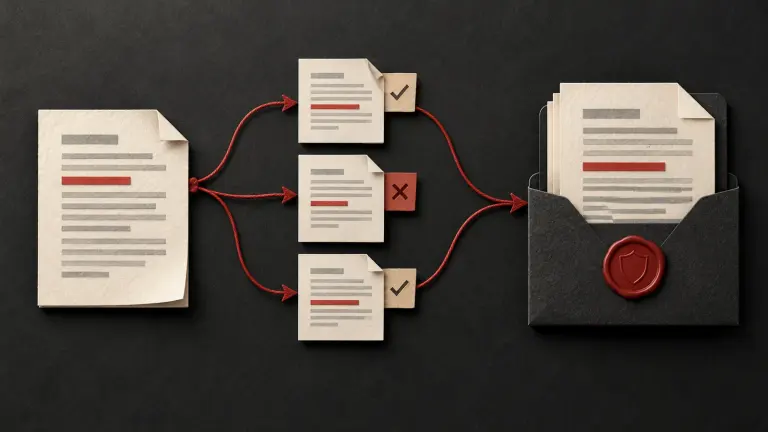
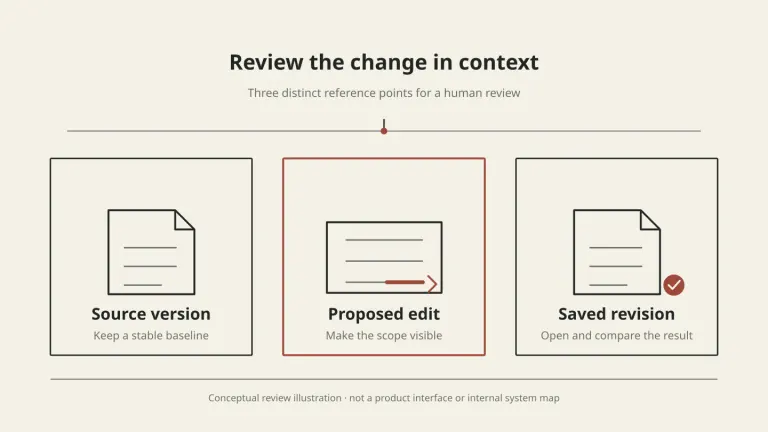
In Gotham’s document workflow, the original remains available while proposed edits can be reviewed in a new version. A reviewer can inspect the changed text, compare versions, and decide what to keep. This preserves a useful boundary: drafting a change is different from approving it. A person should make the decision to accept, reject, or revise proposed wording, especially where it changes risk allocation or deal economics.
It is also important not to confuse a hidden markup view with a final decision. Word’s display options can change what appears on screen. Microsoft explains how to accept or reject tracked changes; reviewers should use an explicit decision rather than assuming that a clean-looking page means every change has been resolved.
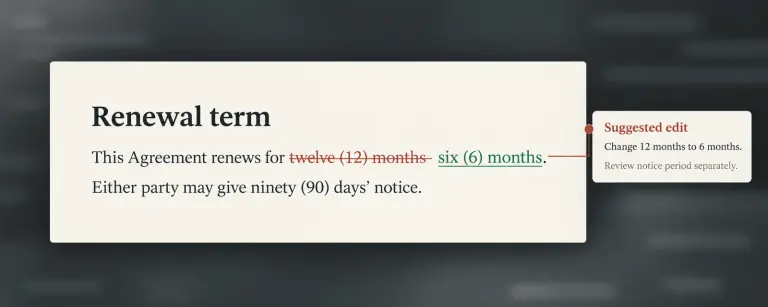
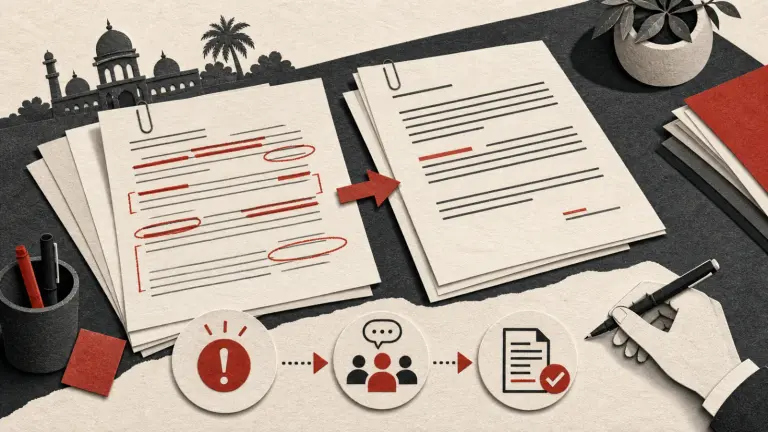
Illustrative fictional contract text, not a Gotham interface screenshot.
The visual below represents that reader-facing distinction: a source, a proposed change, and a separately inspectable result. It is a conceptual illustration, not a screenshot of Gotham’s interface or a map of its internal processing.
Inspect the saved document, not just the suggestion
When a change is ready for review, inspect the actual saved version. A chat response that describes an edit is not the same thing as a document containing it. Open the output and verify that the proposed language appears in the right clause, the surrounding text is present, and the revision is the one you intended to review.
Then compare the saved version with the identified source. Microsoft’s document comparison guidance describes Word’s comparison feature. A comparison can help reveal insertions, deletions, and unexpected differences. It does not supply the legal judgment about whether those differences are appropriate.
For the fictional renewal example, a reviewer might check that the twelve-month renewal period was changed only to the approved six-month proposal, that the notice period is treated consistently, and that definitions or termination provisions were not unintentionally changed. The reviewer should also confirm whether the requested adjustment was made or whether some part remains unresolved. This is a completeness check against the instruction, not a guarantee that the contract is legally complete.
Inspect the parts most likely to carry meaning:
- The edited sentence: Is the proposed language present and readable?
- Its surrounding clause: Did a sentence or condition disappear that changes the effect?
- Defined terms and cross-references: Do they still point to the intended concept or section?
- Tables and schedules: Did a value, row, or attachment remain intact?
- Markup status: Can the reviewer distinguish pending changes from accepted text?
- Saved version: Is this the revised document the team intends to circulate?
No editing workflow can remove the need to inspect an output that will affect rights or obligations. The reviewer decides whether to use the proposed text, requests another pass, or leaves the provision unchanged.
A fictional example: renewal and notice language
Assume a fictional software vendor agreement renews automatically for twelve-month periods unless either party gives ninety days’ notice. The procurement lead asks to shorten the renewal term to six months and “make notice consistent.” The business team has approved the shorter term but has not decided whether the notice period should also change.
The first part of the instruction is clear enough to draft as a proposal: change the renewal term from twelve months to six months. The second part is ambiguous. “Consistent” could mean changing the notice period to sixty days, keeping ninety days, or aligning it with a separate termination right. The reviewer should not treat an assumed interpretation as an approved legal position.
The reviewer can ask the business owner to clarify the intended notice period, or prepare only the agreed renewal edit and flag the notice provision for decision. Once a version is prepared, the reviewer checks the tracked change, confirms the source version, compares the saved output with that source, and inspects defined terms and any provision that cross-refers to renewal. If the edit affects the defined term “Renewal Period,” the reviewer checks all relevant uses rather than looking only at one sentence.
This example does not recommend a six-month renewal period or any particular notice window. It shows how a narrow drafting request can be handled without silently deciding the unresolved part.
Controlled fictional document example
In a bounded offline tracked-edit check with one pre-specified edit, a newly authored synthetic agreement said, “This Agreement renews for twelve months,” while a definition pointed to that section and a schedule separately stated “twelve months.” A single specified proposal changed the renewal sentence to “six months.” The resulting DOCX showed the replacement as a tracked deletion and insertion. Reading back the saved output matched the expected revised sentence; the separate schedule value, defined term, and section reference remained unchanged. This confirms only that this bounded edit and readback worked on that synthetic document. It does not decide whether the schedule should also change, or establish a legal position, live agent judgment, or a general formatting guarantee. The example is separate from the fictional ninety-day notice scenario above.
| Question | Example answer | Review consequence |
|---|---|---|
| Which source is being edited? | Current vendor draft identified in the matter | Keep that version as the baseline |
| What is approved? | Renewal period changes from twelve months to six | Draft only this position |
| What is still open? | Whether the ninety-day notice period changes | Ask or flag for counsel/business owner |
| What should be checked? | Defined term, renewal clause, linked termination right | Inspect those provisions in the saved revision |
| Who decides? | Named legal or business approver under the team’s process | Do not infer approval from a generated proposal |
Common failure modes and how to respond
The wrong draft was selected. Stop and return to the intended source. Do not copy an edit into the latest file without checking what changed in the meantime. Reconfirm the request against that file.
The instruction is underspecified. Ask what result is intended, identify which issue remains open, and avoid substituting a guessed fallback. The contract approval matrix guide can help teams identify who decides exceptions.
The proposed text is visible but its effect is unclear. Read the provision in context. Check definitions, exceptions, conditions, remedies, and related clauses. Ask counsel to assess legal effect rather than relying on a sentence-level comparison.
The saved file does not show the requested edit. Reopen the output and compare it with the source. If the difference is absent or unclear, do not circulate that document as if the request were completed. Make a new, explicit review pass.
Formatting or structure changed. Inspect numbering, tables, headers, schedules, and signature sections. A visual difference may be harmless, but it should be understood before the document moves forward.
A clean view appears final. Check whether tracked changes were actually accepted or rejected. Display settings can hide markup without resolving the underlying edits.
A proposal is mistaken for legal approval. Keep the decision with the authorised reviewer. Document what was accepted, rejected, changed, or left open according to the organisation’s process.
These checks complement, rather than replace, the broader contract consistency guide, which focuses on defined terms and cross-references across the document.
A practical review checklist
Before a proposed contract edit is circulated, confirm:
- The intended source document and version are clear.
- The request states the desired result and identifies unresolved decisions.
- The original source remains available for comparison.
- The proposed edit is visible and located in the correct provision.
- The surrounding clause, defined terms, and related references were checked.
- The saved revised document was opened and reviewed.
- The comparison shows expected changes and no unexplained material changes.
- Pending tracked changes are understood and have not been hidden or mistaken for approval.
- A person with the right authority decides whether to accept, reject, revise, or escalate.
- The final working version and decision record are preserved according to team policy.
Gotham helps teams work with legal documents, draft proposed changes, and review document versions in context. The team still decides whether the wording reflects its intended position and whether the saved agreement is ready for the next step. To discuss a document workflow for your team, contact Gotham or explore legal workflows.
Questions about reviewing AI-assisted contract edits
How do I check that an AI edited the right contract version?
Start from the exact document version you intend to change. Record its version or receipt context, keep the original intact, and compare the saved revision against that source. A filename alone is weak evidence when several drafts share a name.
Does a tracked change mean the proposed clause is legally correct?
No. Track Changes makes insertions and deletions visible; it does not decide whether the edit fits the deal, law, definitions, or related clauses. A responsible reviewer must assess the wording and its context.
Should a suggested edit overwrite the source agreement?
Keep the source intact and make the proposed edit reviewable in a separate revision. That gives the reviewer a stable baseline and a way to identify what changed before accepting, rejecting, or revising the proposal.
What should I verify after a contract edit is saved?
Open the saved document, confirm the requested change appears, inspect the surrounding clause and cross-references, and compare the revision with the intended source. Check tables, defined terms, numbering, and formatting where they matter to interpretation.
Can I rely on a clean-looking document as proof that edits were accepted?
Not by appearance alone. Word can show a document with markup hidden while tracked changes remain pending. Inspect the review status and decide deliberately whether each change should be accepted or rejected.
What if the request says only ‘tighten this clause’?
Clarify the intended outcome, limits, and any approved position before editing. If the requester cannot specify them, identify the ambiguity and ask for a decision rather than silently choosing a new legal or commercial position.
This article describes a document workflow, not legal advice. A qualified reviewer should assess proposed wording, business context, governing law, and the final agreement before approval or signature.
How Gotham researches and reviews field guides