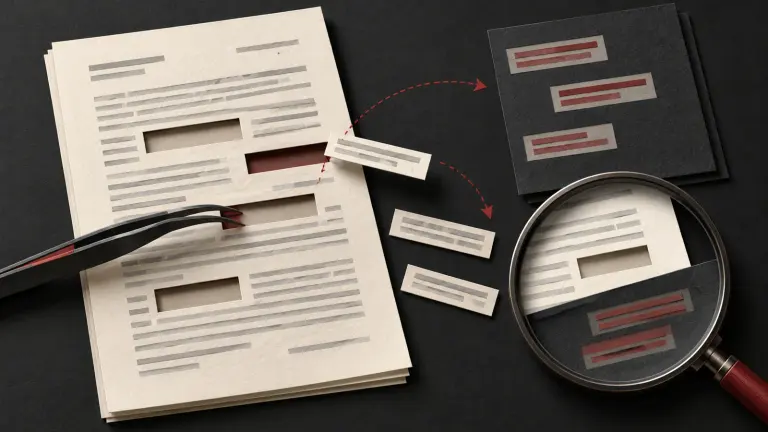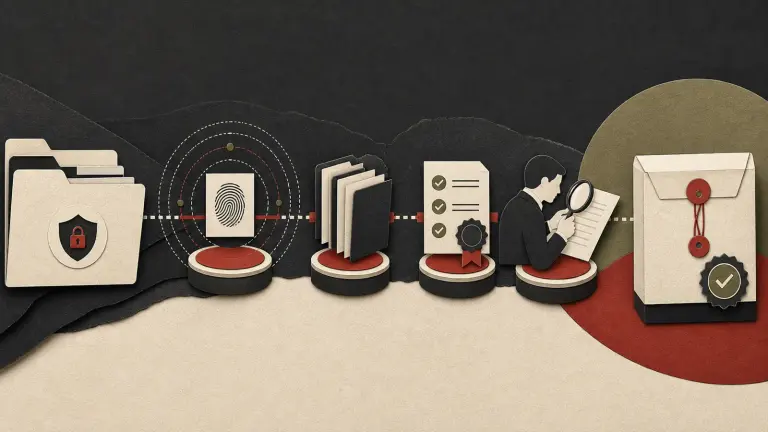
Before sharing a legal document, inspect more than the visible page. Office files and PDFs can contain author names, comments, tracked changes, earlier versions, hidden rows, embedded files, links, form data, signatures and other information that the recipient may not expect. A safe process identifies what the recipient needs, preserves the authoritative source, removes or resolves only what is approved, then checks the outgoing copy in a separate viewer. Metadata cleaning is a disclosure control, not a way to rewrite evidence or conceal a record that must be preserved.
There is no universal “remove all metadata” button that is appropriate for every document. A creator name may be irrelevant in a public presentation but important provenance in an evidentiary record. A signature or version history may be essential to a contract. Comments may contain privileged advice, but privilege is a legal determination and cannot be inferred from the presence of a comment. For each disclosure, define the allowed content and the records that must remain intact.
What can metadata and hidden content reveal?
Metadata is information about a file or its handling. Depending on format and software, it may include creator, last editor, creation or modification time, title, subject, document identifier, revision count, template path, comments, tracked changes, hidden text, custom properties, links, attachments, or the identity of a person who inserted an object. Some content is not technically metadata but creates the same disclosure risk: hidden spreadsheet rows, speaker notes, off-slide elements, image layers, form fields, annotations or earlier document versions.
Review the source format, not just a PDF preview. A Word file, spreadsheet, presentation and exported PDF have different object models. Converting to PDF may hide some editing information but can preserve comments, links, document properties or embedded material; a conversion is not a complete security check. Likewise, flattening may remove useful accessibility or search features.
| File type | Common hidden or overlooked content | Review examples |
|---|---|---|
| Word document | Tracked changes, comments, hidden text, headers, footers, custom properties, embedded objects | Review pane, document inspector, navigation and object list |
| Spreadsheet | Hidden rows/columns/sheets, filters, formulas, comments, external links, named ranges | Unhide, inspect formulas and links, review workbook structure |
| Presentation | Speaker notes, off-slide objects, comments, hidden slides, embedded media | Slide sorter, notes view, object selection and properties |
| Annotations, form fields, layers, attachments, bookmarks, OCR text, metadata | Separate viewer, text search, attachments and properties | |
| Scanned image | EXIF or capture information, visible and hidden image layers in source project | Inspect original image properties and source project |
The UK Information Commissioner’s official guidance on disclosing documents securely discusses checking hidden information and metadata before sharing. The ICO is a foreign regulator. Its workflow advice is a practical reference, not Indian law and not a substitute for Indian legal, contractual or court requirements.
Step 1: define purpose, recipient and preservation boundaries
Before opening an inspector tool, write down why the document will be shared and who will receive it. Confirm whether the file is a court exhibit, contract draft, board paper, disclosure response, client email, public report or internal review copy. Identify what information must remain, what may be withheld, and who can approve removal.
Check for a legal hold, discovery obligation, court direction, recordkeeping requirement, contractual retention clause, signature validation need, or client instruction. If any applies, do not sanitize the authoritative file. Preserve it in the controlled repository and prepare a separate derivative only when authorized. Record the source file, version, owner and date. For an evidentiary record in India, the Bharatiya Sakshya Adhiniyam, 2023, including sections 61–63 for electronic and digital records, may be relevant. Counsel should decide how to preserve a record and its transformations; metadata alone does not prove authenticity.
Define redaction and metadata removal separately. Redaction removes content from a shared copy. Metadata sanitization removes file properties or hidden objects. A request to remove an author’s name does not automatically authorize deleting comments, attachments, revision history or visible content. If there is doubt, pause release and ask the record owner or lawyer.
Step 2: inventory the file and its relationships
Record the outgoing file name, source location, format, owner, business purpose, recipient, sensitivity and linked files. Review the package rather than one file in isolation: a clean PDF may link to an editable cloud document, and an email may include an unredacted earlier thread. Check recipients and filenames too.
The inventory should distinguish the authoritative source from the release copy:
| Record | Location and identifier | Handling |
|---|---|---|
| Authoritative source | Controlled matter repository and version | Preserve under applicable retention or hold rules |
| Working copy | Restricted review folder with new identifier | Apply approved cleanup here |
| Outgoing copy | Release package with date/version | Verify and send through approved channel |
| Review evidence | Checklist, approver, exception record | Retain with matter or disclosure log |
Do not overwrite the source to avoid a duplicate. If there is an approved preservation process, follow it. A cryptographic hash can help compare exact file bytes before and after transfer, but it does not establish that the file is true, complete, correctly authored or lawfully disclosed.
Step 3: inspect in the native application and an independent viewer
Use an approved environment. Inspect the document in its native application, which may expose tracked changes or notes hidden from a basic viewer. Then open the release copy in another viewer to check how a recipient may see it.
For a word-processing file, accept or reject tracked changes only after an authorized reviewer confirms the final text. Resolve comments only when their substance has been considered and the authoritative source is preserved. Inspect headers, footers, text boxes, footnotes, hidden text, document properties, embedded files, hyperlinks and document inspector findings. Do not accept all changes automatically: that can change legal meaning or remove useful history.
For a spreadsheet, unhide every sheet, row and column; inspect filters, grouped rows, formulas, named ranges, comments, external links, hidden defined names and pivot source data. A visible summary table may still contain the underlying detailed records. Confirm that removal does not alter calculations or misrepresent the remaining data.
For a presentation, inspect speaker notes, hidden slides, off-canvas objects, comments, media and embedded documents. For PDF, inspect properties, annotations, form fields, layers, attachments, bookmarks, OCR text, signatures and revision behaviour. The scanned PDF redaction workflow covers the separate checks needed when content must be withheld from a PDF.
Step 4: sanitize a derivative with an approved method
Use a native document-inspection or sanitization feature approved by your organization, or another reviewed method suitable for the format. Make changes in the release copy. Document what was removed and why. If a tool asks whether to remove comments, personal information, custom XML, annotations or hidden data, read the options rather than accepting a blanket setting.
Removal can alter file behaviour. It may break a digital signature, invalidate a certificate, remove accessibility tags, delete embedded data needed to understand a chart, or alter page numbering. If a signature’s validity matters, preserve and verify the signed source and consult counsel or records staff before making a derivative. The output may need to be clearly identified as a copy or redacted version rather than represented as the original signed document.
Do not use “print to PDF” or screenshots as a universal sanitization method. Printing can flatten some elements but may omit bookmarks, links, forms, accessibility structure, notes or annotations; it can also leave file properties or fail to obscure image content. Re-open and inspect the actual outgoing result.
Step 5: independent verification and release
Have a second person review high-risk material. They should not rely solely on the first reviewer’s list. Compare the final file with the release purpose and ask what the recipient can infer from both visible content and file properties.
| Check | Release question | Evidence to retain |
|---|---|---|
| Visible content | Are all pages, formulas, notes and exhibits intended? | Reviewer checklist and final page count |
| Hidden content | Are comments, tracked changes, hidden areas and attachments resolved? | Inspection results and exceptions |
| Metadata | Are author or system properties appropriate for this recipient? | Before/after property review where useful |
| Links | Do links open only approved destinations and versions? | Link inventory or test record |
| Signatures | Is the signature needed and still valid on this copy? | Validation result or legal approval |
| Completeness | Does the document still make sense and avoid misleading omissions? | Content-owner sign-off |
| Delivery | Is the correct file sent to verified recipients securely? | Message, portal receipt or release log |
For sensitive material, use secure transfer controls approved for the recipient and sensitivity. Send credentials through a separate channel where appropriate. Verify addresses and recipients before release. Keep the outgoing exact copy and approval evidence in the matter record.
Worked example: an edited board paper sent to an investor
An Indian company prepares a board paper for an investor diligence request. The visible PDF looks clean, but the source Word file contains tracked changes, a comment discussing a customer dispute, a hidden appendix and a linked workbook with customer-level data. The legal team confirms which sections may be disclosed and whether the request permits redaction. It preserves the source under the company’s records process, creates a derivative, resolves the final text with the document owner, removes the hidden appendix and comments only after approval, and replaces the linked workbook with an approved aggregate table.
The team exports a release copy, reopens it in a separate viewer, checks the PDF properties, searches for customer names, tests all hyperlinks, compares page counts and has a second reviewer confirm that the remaining paper is not misleading. The file is sent through the approved diligence portal and the exact sent copy is retained. The team has not “deleted” the source or claimed that metadata removal alone created a privileged or legally compliant document.
India-specific legal and governance caution
The DPDP Act, 2023 has staged commencement under the Central Government’s 13 November 2025 notification. As of 24 October 2026, do not describe sections scheduled for commencement eighteen months after publication as already operative. Other current duties, contracts and sector rules may still control disclosure and security. The Information Technology Act, 2000 and the official 2011 SPDI Rules may apply in their current scope. The right answer depends on what data is involved, who handles it, why it is shared and the applicable effective date.
Removing metadata is not a substitute for identifying a lawful basis, confidentiality duty or required disclosure. Nor should an organisation alter a record under a hold or after litigation is reasonably anticipated without legal direction. Make the decision with the record owner and counsel, and document the transformation transparently.
Metadata-cleaning checklist
- Confirm purpose, recipient, authority and applicable restrictions.
- Check for preservation, litigation hold, recordkeeping, signature or accessibility requirements.
- Preserve the authoritative source in its controlled location.
- Inventory formats, attachments, links, versions and recipients.
- Inspect the native file for comments, revisions, hidden objects and properties.
- Approve each removal; do not accept or delete all changes automatically.
- Create a distinct release copy using an approved method.
- Reopen and inspect the final copy in a separate viewer.
- Test links, formulas, signatures, page completeness and hidden content.
- Obtain independent review for sensitive or high-impact disclosures.
- Retain the exact outgoing version and approval evidence.
Frequently asked questions
Should I remove all metadata before emailing a legal document?
No. First decide what the recipient needs and what the organisation must preserve. Some metadata may be harmless or important provenance; other properties may disclose personal or confidential details. Remove only what is approved and verify the sent copy.
Does converting Word to PDF remove comments and tracked changes?
Not reliably. Export settings and software vary, and the output can still include comments, links, metadata, hidden content or embedded items. Inspect the PDF itself after conversion and preserve the authoritative Word file where required.
Can metadata cleaning make a document privileged?
No. Privilege depends on the legal relationship, purpose, content and applicable law. Removing an author name or comment does not create privilege and should never be used to disguise the document’s history.
Will removing metadata invalidate a digital signature?
It can, depending on the format, signature type and changes. Preserve the signed source and verify signature validity using an appropriate process before altering a derivative. Ask counsel or records staff how the copy should be labelled.
Is a PDF properties panel enough to verify metadata is gone?
No. It may not show annotations, attachments, layers, OCR, bookmarks or hidden text. Inspect the file structure and content using approved tools, then open the output in another viewer.
What should a team do if it finds sensitive comments after sending?
Preserve the sent copy and incident facts, restrict further access where possible, notify the appropriate privacy/security and legal owners promptly, and follow the organization’s incident-response process. Do not silently replace the file or destroy evidence of what was shared.
Make every release traceable
A reliable document-sharing process records which version was authoritative, what changed, who approved it and what exact file left the organisation. Gotham’s electronic evidence checklist, litigation document organization guide and scanned PDF redaction workflow provide related controls. For a legal document workflow conversation, contact Gotham.
Privacy questions that need a local-law review
Technical document cleaning is only one control. If the issue is a disclosure or personal-data request, the following guides address the local assessment and evidence:
- Japan HR Data Incident: Salary Information Sent to the Wrong Recipients
- Brazil LGPD Request: Ask a Company Where It Got Your Data
- Swiss Recruiter Keeps Your CV? Request Access, Correction or Deletion
This operational guide is not legal advice. Removing metadata may affect evidence, accessibility, signatures or contractual obligations; review the matter and applicable law before altering a record.
How Gotham researches and reviews field guides