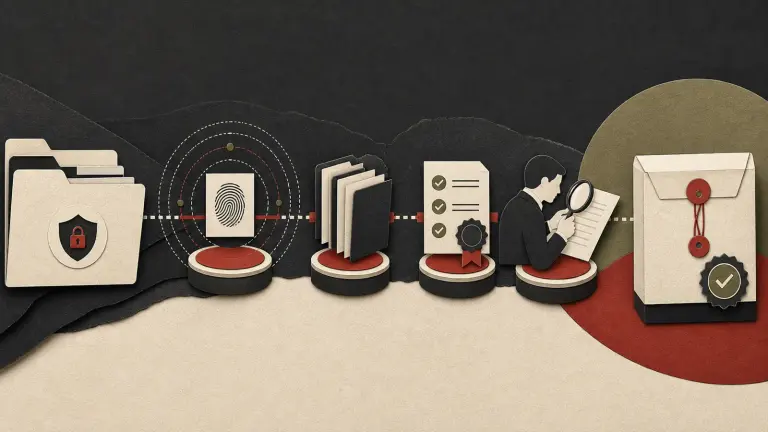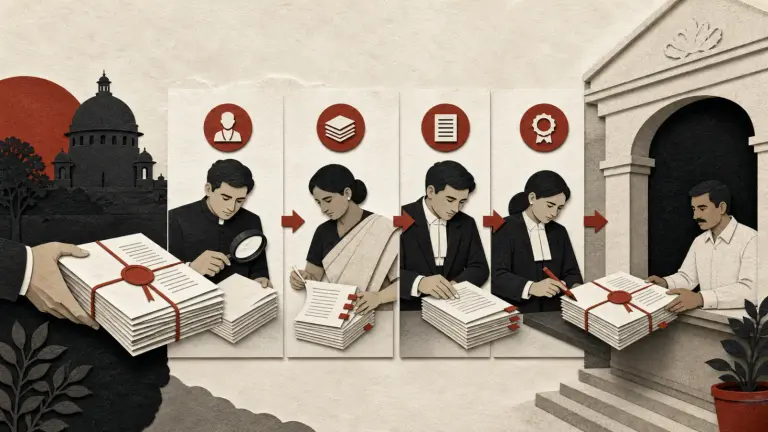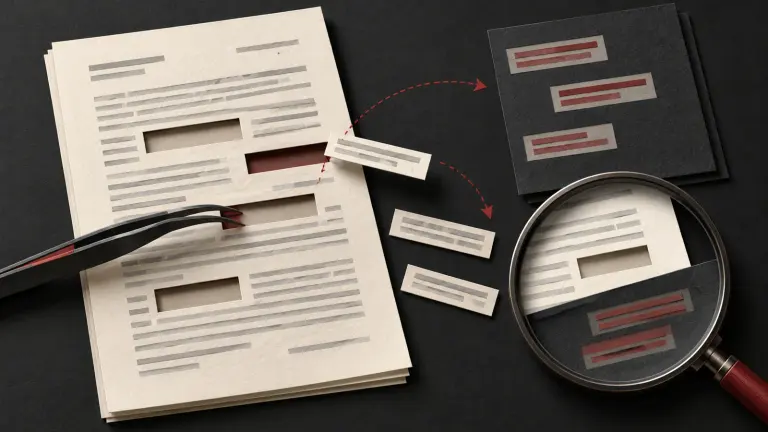
To redact a scanned legal PDF safely, treat it as an image plus any OCR text, annotations, layers, attachments or metadata the file may contain. Marking a rectangle over a name is not enough. Work from a protected original, identify every occurrence and context that must be withheld, apply a redaction method that removes the underlying content from the shareable copy, then test the exported file independently. The result should be reviewed for both disclosure risk and readability before it leaves your control.
There is no single PDF workflow that proves every redaction is secure. A scan may have no searchable text, imperfect OCR, multiple images per page, a hidden text layer, annotations, or a signature that changes when saved. A visible black box can hide pixels while leaving searchable text or an earlier version intact. Conversely, flattening a file may remove useful accessibility and search features. Choose a method based on the file and the recipient’s legitimate needs, and preserve a controlled unredacted source.
First determine what should be withheld
Redaction is a legal and editorial decision before it is a software operation. Identify the recipient, purpose, governing order or agreement, applicable disclosure rules, protected information and required context. The names of parties, counsel, witnesses, account numbers, signatures, addresses, medical data, children’s details, confidential commercial terms and privileged advice may require different treatment. Do not assume a category is privileged merely because a lawyer appears in the document or the file is labelled confidential.
Create a redaction schedule before editing:
| Field | What reviewer records |
|---|---|
| Document ID and version | Stable identifier and source location |
| Page and location | Page number, paragraph, table cell or image region |
| Proposed redaction | Exact text, number, image or contextual detail |
| Reason | Court direction, privacy, confidentiality, privilege or scope decision |
| Reviewer | Person with authority to approve the decision |
| Context check | What must remain so the disclosed record is intelligible |
| Status | Proposed, approved, applied, verified or rejected |
If the governing instrument requires a redaction legend or explanation, follow it. If no rule specifies a legend, a concise neutral marker can help the recipient understand that content was withheld without exposing it. Do not put the withheld value in a filename, annotation, bookmark or review comment.
Preserve the original and create a controlled working copy
Save the received PDF in a read-only matter location. Record who supplied it, when, the source system or device if known, original filename and version, and any integrity value your process uses. Create a working copy with a new identifier. Keep an access-controlled cross-reference between the original and the released copy.
For evidentiary use in India, the Bharatiya Sakshya Adhiniyam, 2023 is the current evidence statute. Sections 61–63 address electronic or digital records and proof, with section 63 and its schedule containing particular requirements for proof of electronic records. A redaction workflow should not overwrite the source or casually destroy context that may later be needed. Whether the unredacted record, redacted version, hash, certificate or collection history is required depends on the proceeding and the record; counsel should decide. A matching hash can support byte-level integrity comparison, but cannot prove authorship, accuracy or completeness by itself.
Inspect the scan before choosing a tool
Open the PDF in a controlled viewer and inspect every page at normal and enlarged scale. Determine whether each page is a raster image, searchable text, or a combination. Try selecting and copying text in a working copy. Run OCR only if needed and permitted; record the tool and output version. OCR is an aid to locating text, not proof that the scan contains no additional information.
Review the file structure for:
- searchable text that may differ from the image;
- annotations, comments, highlights, stamps and form fields;
- layers or optional content that can be toggled;
- attachments, embedded files and portfolios;
- bookmarks, hyperlinks, thumbnails and page labels;
- metadata such as author, title, subject and revision history; and
- digital signatures, certification restrictions or redaction status.
The Bharatiya Sakshya Adhiniyam recognises electronic and digital records, but redacting a copy does not by itself resolve authenticity or admissibility. Preserve the source and document transformations where those issues may matter.
Apply redactions to all representations
Use a dedicated redaction function that marks content for removal and then applies the removal to a new output. In a scanned page, ensure the covered image region is replaced with an opaque fill, not merely a transparent shape. If an OCR layer exists, remove the corresponding text from the redacted output too. Check repeated instances in headers, footers, attachments, exhibits, schedules and image captions. Searchable names can appear in different spellings or OCR variants.
If no reliable redaction tool is available, a carefully controlled raster workflow may be considered: render the working copy at sufficient resolution, permanently alter the pixels in a new image, create a new PDF from the altered pages and review the output. This can degrade legibility, remove text accessibility, alter page geometry or omit signatures and annotations. It does not eliminate the need to inspect layers, embedded files and metadata in the final package. Do not use blur, pixelation, translucent highlight, white font, cropping or a removable overlay as a substitute for redaction.
The UK Information Commissioner’s official guidance on secure disclosure describes operational risks such as hidden information and the need to apply redactions and sanitise a copy. This is foreign regulatory guidance, not Indian law or a determination of what must be withheld in an Indian matter. Use them as practical process references only.
Verify the output, not just the editing screen
Save the released copy under a new name. Close it, reopen it in a separate viewer or independent review environment, and perform at least two kinds of checks. A person who did not apply the redactions should compare each scheduled location against the output.
| Verification | How to test | Failure signal |
|---|---|---|
| Visual coverage | Zoom and inspect edges, page rotations and image content | Characters visible at edges or through translucent fill |
| Text layer | Search and copy redacted strings and likely OCR variants | Hidden text can be selected or extracted |
| Page structure | Toggle layers and inspect annotations, forms and attachments | Original material appears elsewhere in the PDF |
| Search/index | Run local text extraction or search in a controlled copy | Withheld value returns in extracted text |
| Metadata | Inspect document properties and embedded items | Sensitive author, comments or hidden files remain |
| Completeness | Compare page count, orientation and required content | Missing page, exhibit, signature or context |
| Recipient view | Open using a different viewer or print workflow | Redaction changes, disappears or becomes legible |
For high-risk disclosure, use a second qualified reviewer and a repeatable test procedure. Record tool/version, export settings, checks performed, exceptions, reviewer and date. Keep the redaction schedule and a restricted original separate from the public or external copy.
Worked example: scanned bank statement in a commercial bundle
Assume a company must share a scanned statement as an exhibit, but the relevant transaction is surrounded by unrelated personal transactions and an account number. The reviewer first confirms the order or agreement and asks counsel what information may be withheld. They preserve the source, make a working copy, note every account-number occurrence and unrelated transaction on a page-and-line schedule, and inspect whether OCR exists. They apply opaque redactions to the image and remove corresponding OCR text. A second reviewer searches the export for the account digits, tries selecting text, checks properties and attachments, compares the page count, and visually inspects the masked areas at high magnification.
If the redactions make the transaction impossible to understand, the team considers a narrower excerpt or separate explanatory schedule, subject to approval. It does not expose the original value in a filename or redaction annotation. The exact unredacted source remains access-controlled. This process does not establish that disclosure is legally permitted; it shows how a permitted redaction can be applied and checked.
Balance confidentiality, accessibility and evidence needs
A flattened image can make recovery harder but can also make the document inaccessible to screen readers and search tools. When possible, produce a properly tagged, readable PDF with the redacted text actually removed. Where a raster output is necessary for security, consider whether an accessible alternative or explanatory text can be provided without revealing withheld information. Do not choose a format solely because it is difficult to copy.
Court directions, tribunal procedures, discovery rules, contractual terms and data-protection duties vary. A court may require a particular filing format, a confidential annex, sealed cover, redaction schedule, or unredacted copy for the court. Verify the current forum’s official rules and order. The court filing quality-control checklist and electronic evidence checklist can help structure review, but they do not replace case-specific directions.
Common redaction failures
- Drawing over text. An annotation rectangle may move or be removed. Apply a true redaction and inspect the saved output.
- Redacting only the visible scan. OCR can preserve the text underneath. Test extraction and search.
- Missing duplicates. Names or account numbers may appear in another page, attachment, footer or bookmark. Search for variants and inspect context.
- Leaving comments and metadata. Review annotations, document properties and embedded files separately.
- Using a screenshot as the source. A screenshot may omit a page, timestamp or context. Preserve the provided original and document any derived copy.
- Treating software success as legal approval. A tool can remove data but cannot determine privilege, confidentiality or lawful disclosure.
- Over-redacting. Excessive blacking-out may make the remaining record misleading or useless. Review whether a narrower disclosure is possible.
Pre-release checklist
- Confirm authority, recipient, purpose and applicable disclosure instructions.
- Identify each proposed redaction, legal or policy reason, and approving reviewer.
- Preserve the received source; create a tracked working copy.
- Inspect image, OCR text, layers, comments, forms, attachments and properties.
- Search all pages and related exhibits for repeats and variants.
- Apply true redactions to the image and text representations.
- Save a distinct output and reopen it in another viewer.
- Test visible content, text search/extraction, metadata and embedded objects.
- Compare page count, readability, context and required signatures.
- Obtain independent review for high-risk material and record the checks.
- Preserve the released copy and restricted source according to the matter protocol.
Frequently asked questions
Is a black rectangle enough to redact a scanned PDF?
No. It may cover pixels while leaving OCR text, annotations or an underlying layer accessible. Use a process that applies the redaction to a new output and then independently tests what can be seen, selected, searched or extracted.
Can I use a free online PDF redaction site?
Do not upload confidential, personal, privileged or client material to an unapproved external service. First assess confidentiality, data processing, security, retention and organisational approval. Use an authorised controlled tool and a verified workflow.
Does converting every page to an image guarantee secure redaction?
No. Rasterisation can remove or alter some content but may leave other PDF objects, metadata or attachments. It can also reduce accessibility and quality. Verify the final file structure and recipient view.
Should the original unredacted PDF be kept?
Usually preserve a controlled source where the matter’s retention, litigation, evidence or legal-hold requirements call for it. Keep it separate and access-restricted. The appropriate period and scope require matter-specific legal review.
Does a hash prove the redacted PDF is authentic?
A hash can show whether the file’s bytes match a previously recorded value. It does not prove who created the file, whether it is complete, whether the content is true, or whether the redactions were legally justified.
Can a redacted PDF remain searchable and accessible?
Often it can, if redaction is properly applied to underlying text and the output is tagged correctly. Some high-security processes flatten pages, which may reduce accessibility. Test both disclosure security and recipient usability.
Keep redaction inside a reviewable document process
Redaction should leave a trail from source to approved output: scope, decisions, transformations, verification and release. Gotham’s electronic evidence checklist, court filing quality-control checklist and litigation document organization guide cover adjacent controls. For a legal document workflow discussion, contact Gotham.
This operational guide is not legal advice or a guarantee of secure redaction. Applicable disclosure rules, privilege, confidentiality and evidence requirements require matter-specific review.
How Gotham researches and reviews field guides